This you tube video is the unedited work session, so you can scrub around to get a sense of the process.
So in the early days of my A.I. journey, after finding the courage to dive in—I started messing around with NMKD’s local A.I. generator app. The app supported Stable diffusion 1.5, and eventually SDXL, it was pretty cool being able to do what previously required an off-site server on my 4090 rig, locally.
But one thing that stuck out to me immediately were the various ‘mistakes’ which were apparent in the outputs. We all remember jokes about malformed or missing fingers, unintentional ‘body horror’ and many other mishaps associated with generated images from that time and from those earlier models.
As someone who worked and studied as a traditional 2-D Concept artist — a solution to this unfortunate limitation came pretty quickly. With photo-bashing, paint-bashing, and 3-d bashing being ubiquitous in the industry, the answer became pretty obvious.
Generative Photo-bashing
The solution was to take the affected problem areas, isolate them as input images and re-roll the seed. Discovering that you could actually take a piece of your text-to-image result: (eg. the hand,) blow that up to a higher resolution— then re-generate it using image-to-image with better detail, was the game-changer for me.
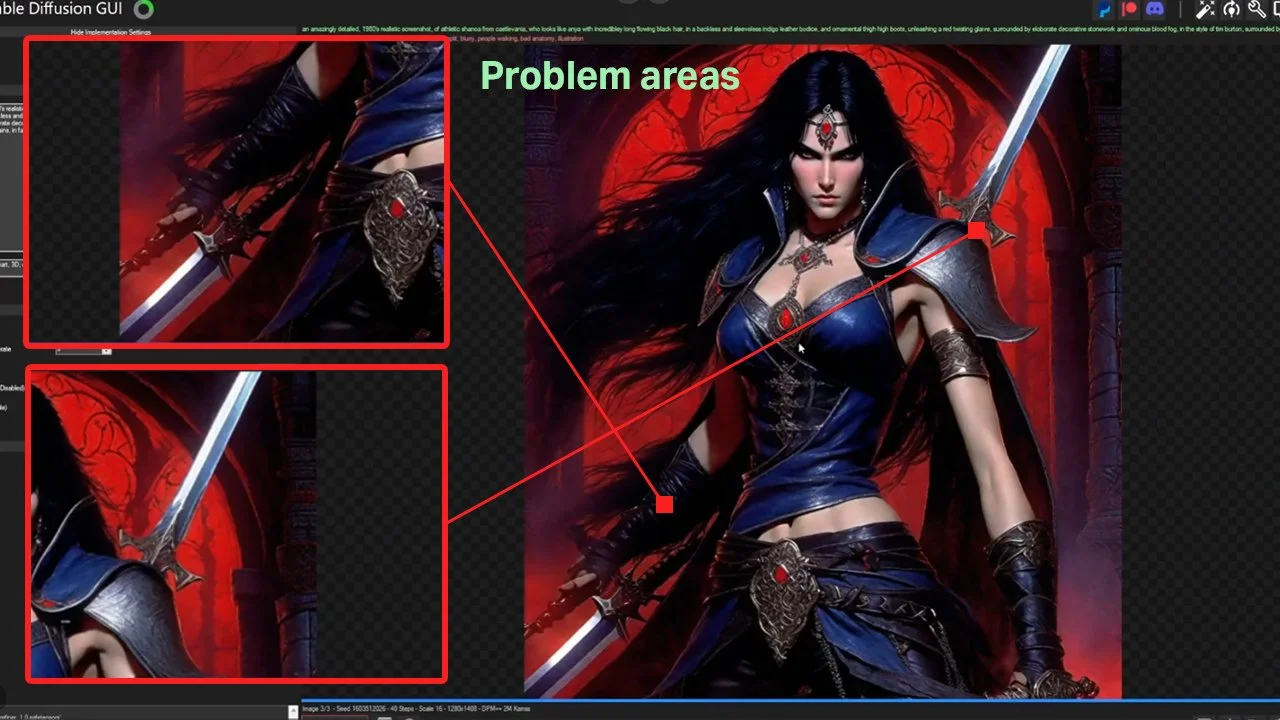
Main problem areas: 1. Messed up hand, 2. Mystery sword on the shoulder
The first step was to Isolate the background of course, and with Adobe rolling out their own generative tools, this was a pretty simple task.
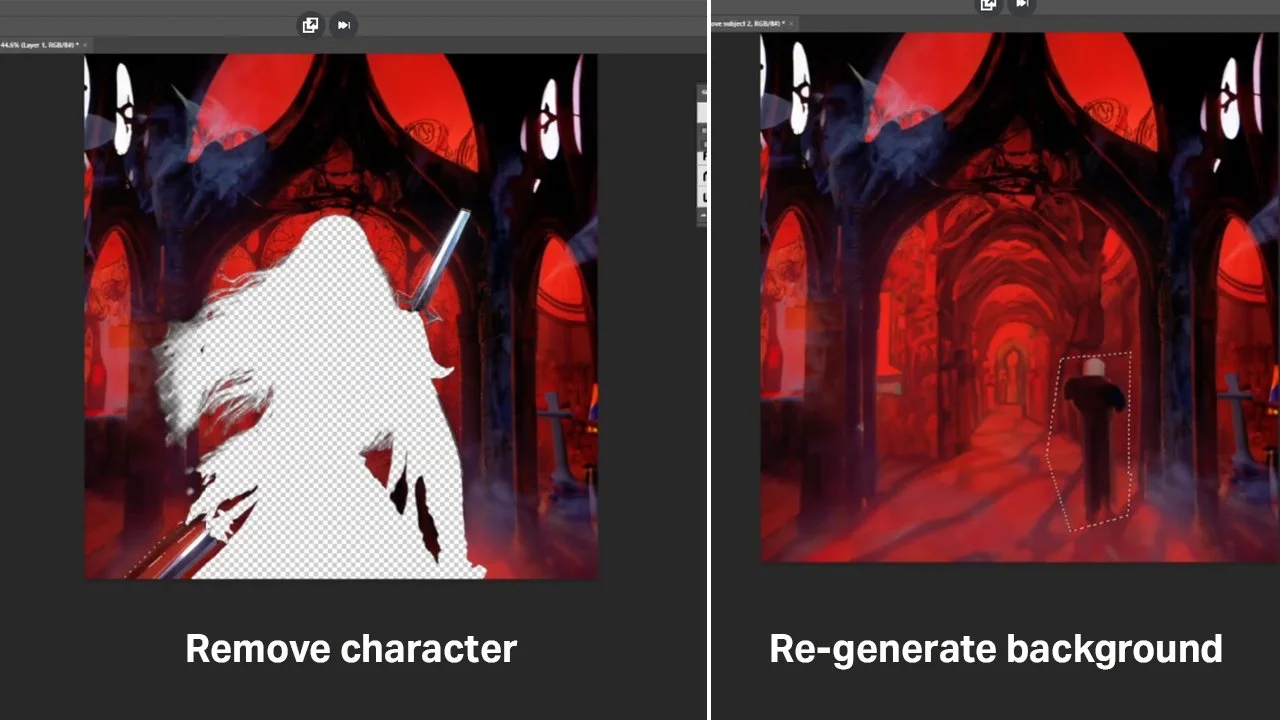
using the same image-to-image workflow, I was able to re-roll the background to fit the vision of the piece.
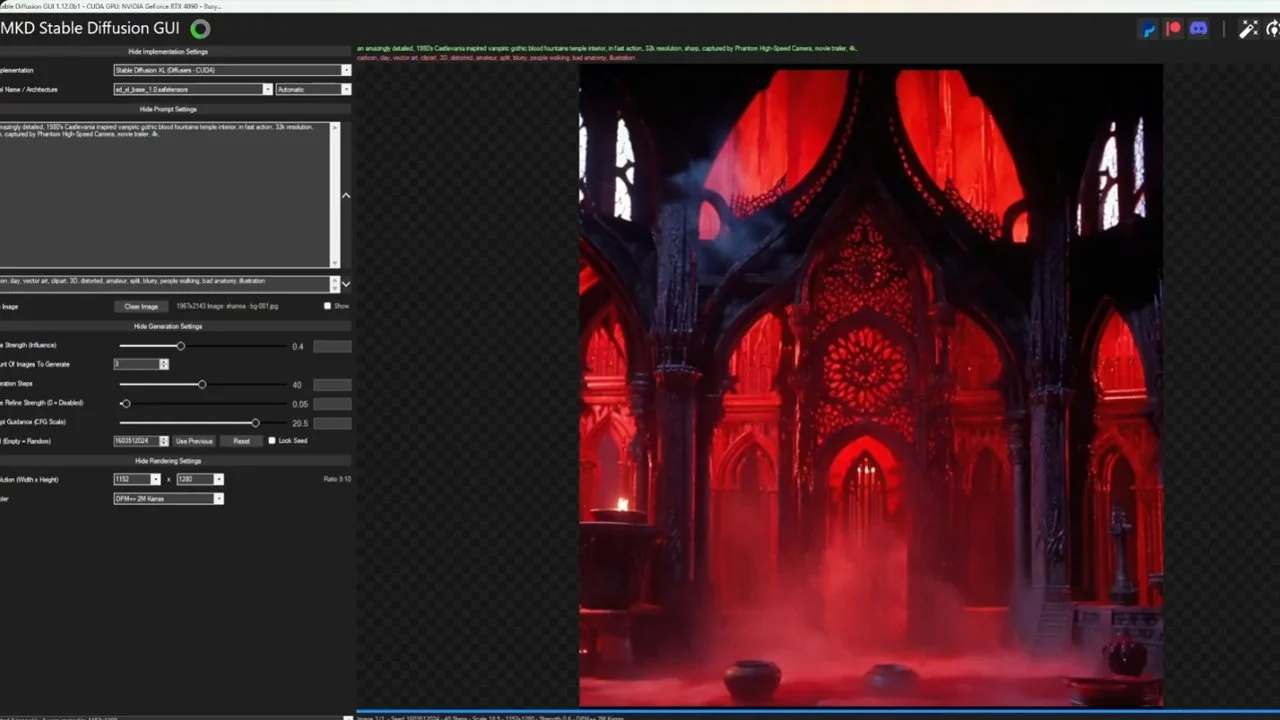
Then, using a higher-res version of the rough generated background, we’re back to image-to-mage generation: using prompting, cfg, and denoise values to get better results.
This is where the doors were opening for me. If we could essentially blow up and re-generate areas of the image based on marquee selections, well then what’s to stop us from doing this anywhere in the image? Nothing!
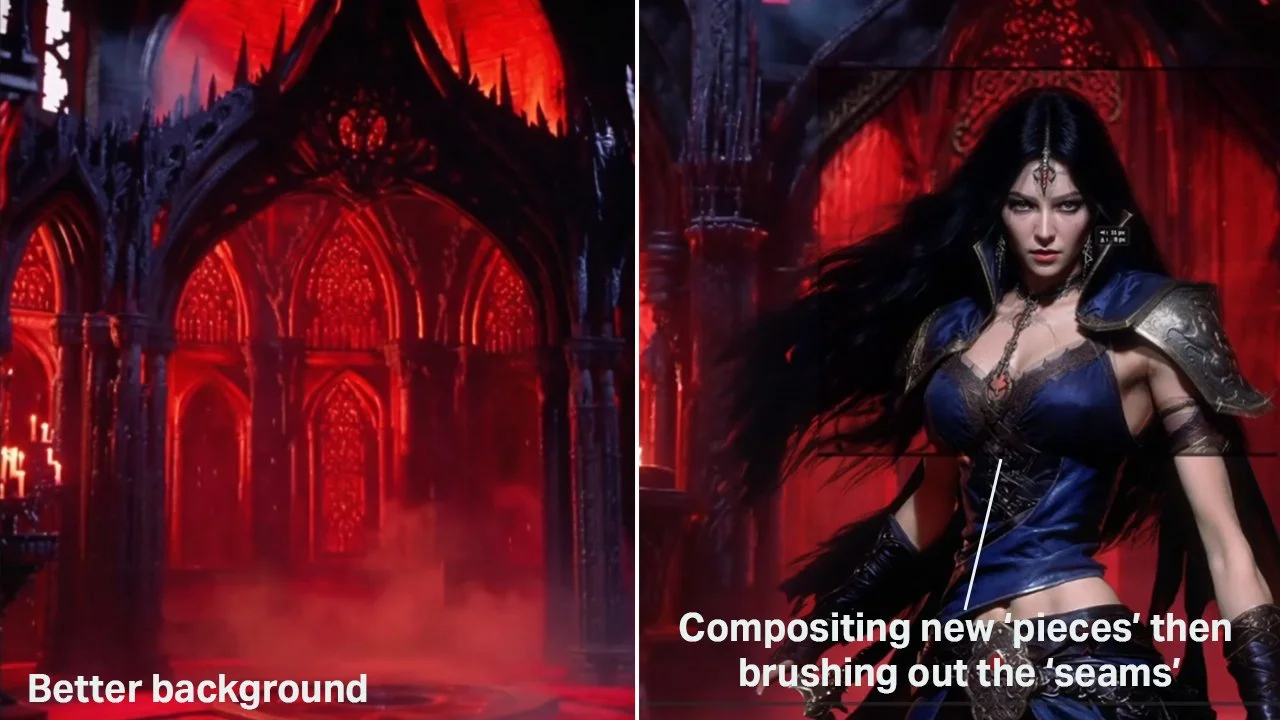
Note that the quality keeps improving each time I add in new pieces. At a certain point, it’s much like modern day matte painting.
So as you can see, I started out with the goal in mind to get rid of some anomalies, and stumbled on a new realty—I can actually improve every aspect of this image using this technique!
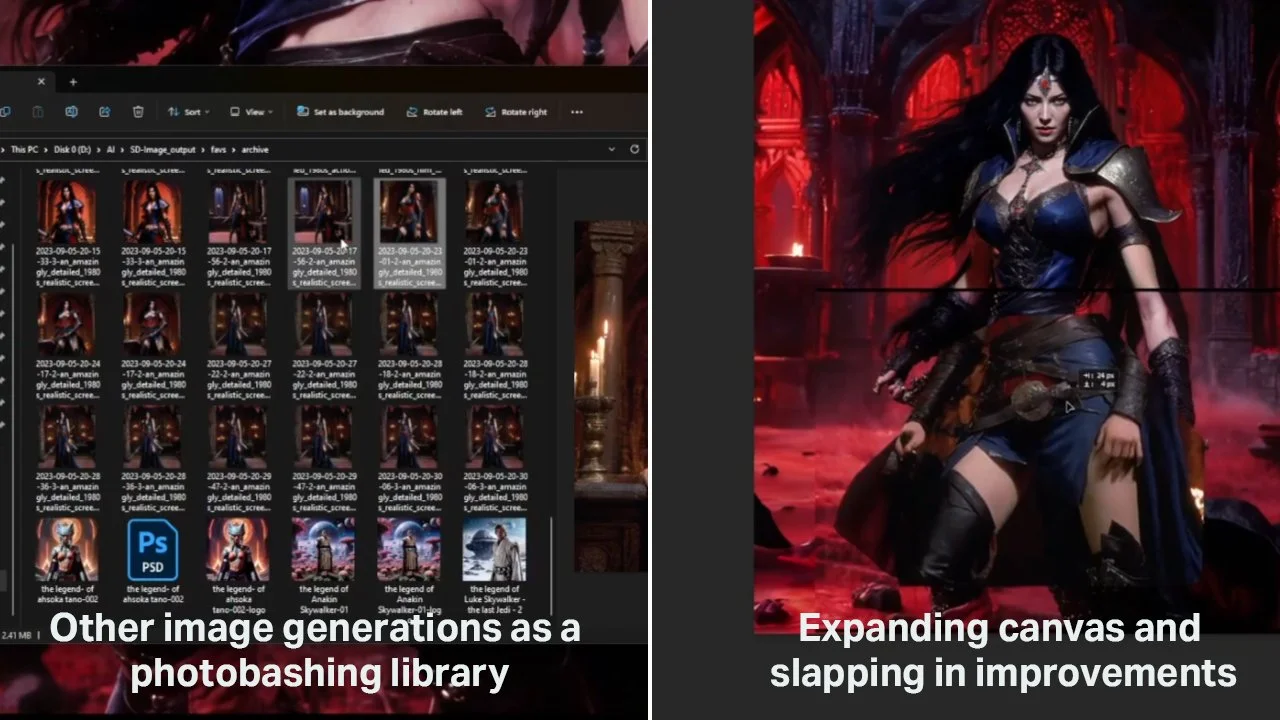
Here, you can see—once the process was realized, it just became a matter of personal taste and experimentation.
All those images I generated that weren’t giving me the exact result I was looking for? Well, those came in handy when I started looking at ways I could improve the image. Instead of scrolling google images, I had my own library of photo-bashing material.
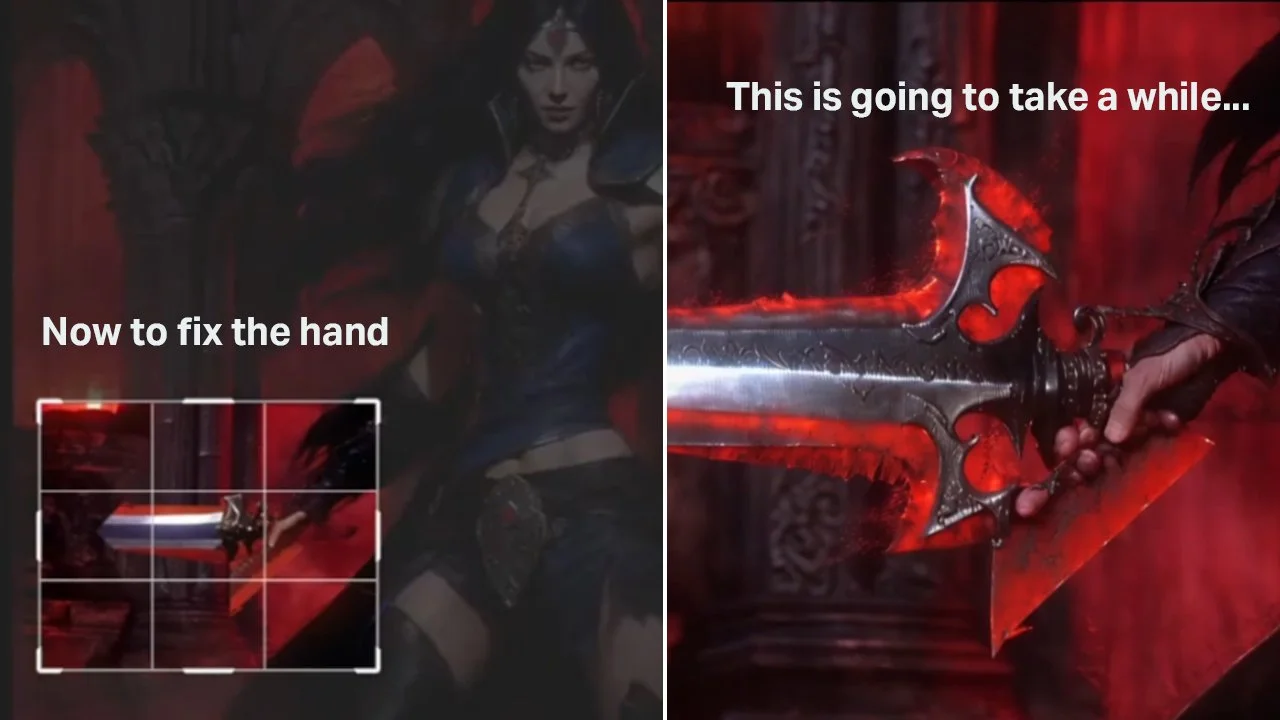
So with the image document functioning more like a matte painting, The hand and sword was ready to be fixed.
So this was a bit of a slog. If you look at the you tube video, you’ll see that I went through quite a bit of options for this, even resorting to doing some brushwork to influence what the image-to-image model was giving me. Truthfully, if I needed to just paint the hand and sword, I could. It would take quite a while longer, but of course we’re working smarter, not harder.
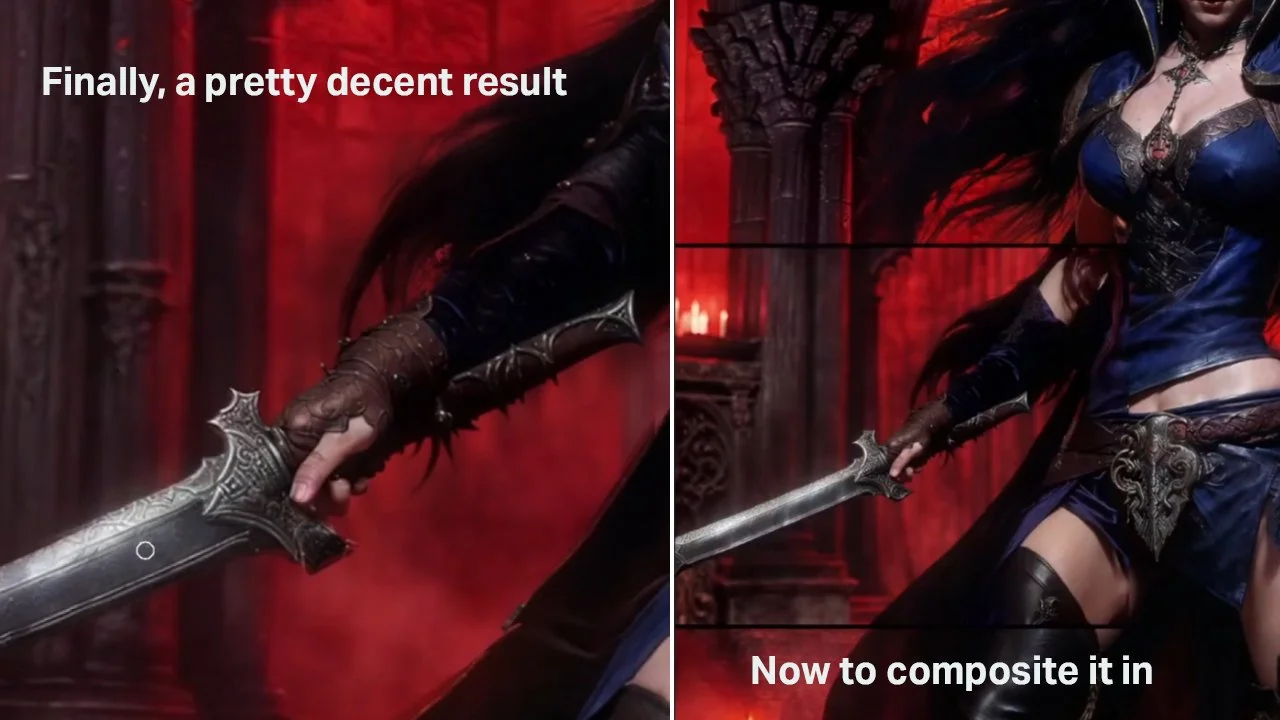
Finally, we got a pretty good result here. Keeping in mind that the final image won’t ever be this zoomed-in.
Here is where I hope you can see the magic starts to click. We are essentially photo-bashing, but generating the photos—for any section, and any improvement we might be after.
So at this point, I was happy with where the hand and sword landed, and we even got some extra forearm and leather details for free in the process.
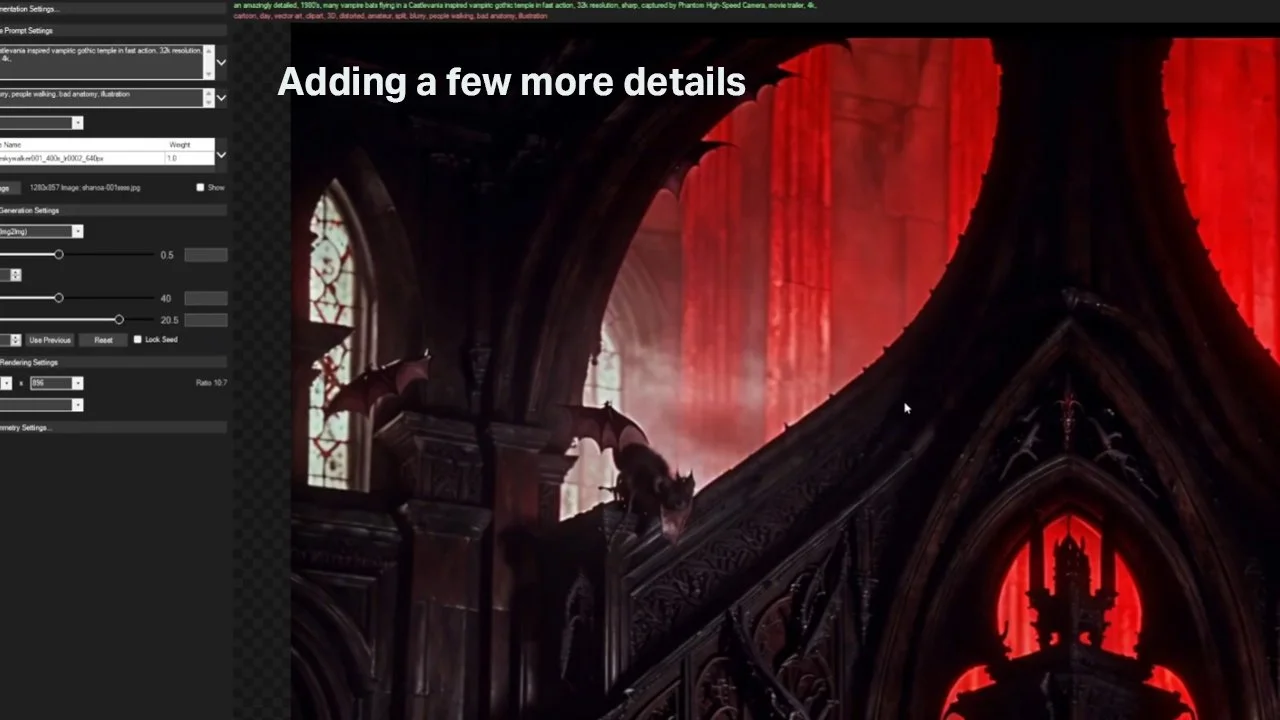
Adding final background details with image-to-image generation
And now the question: when is it finished? Well, that’s always up to the artist or art-director, but as you can see—the variation can be endless. And keep in mind this was in 2023. Now—in 2026, we have more powerful models to use, LLM driven workflows, and much more tricks in the bag! Understandably, many artists are unsure where to land on this technology, but I’d say that until you try it out for yourself—well… try it yourself!
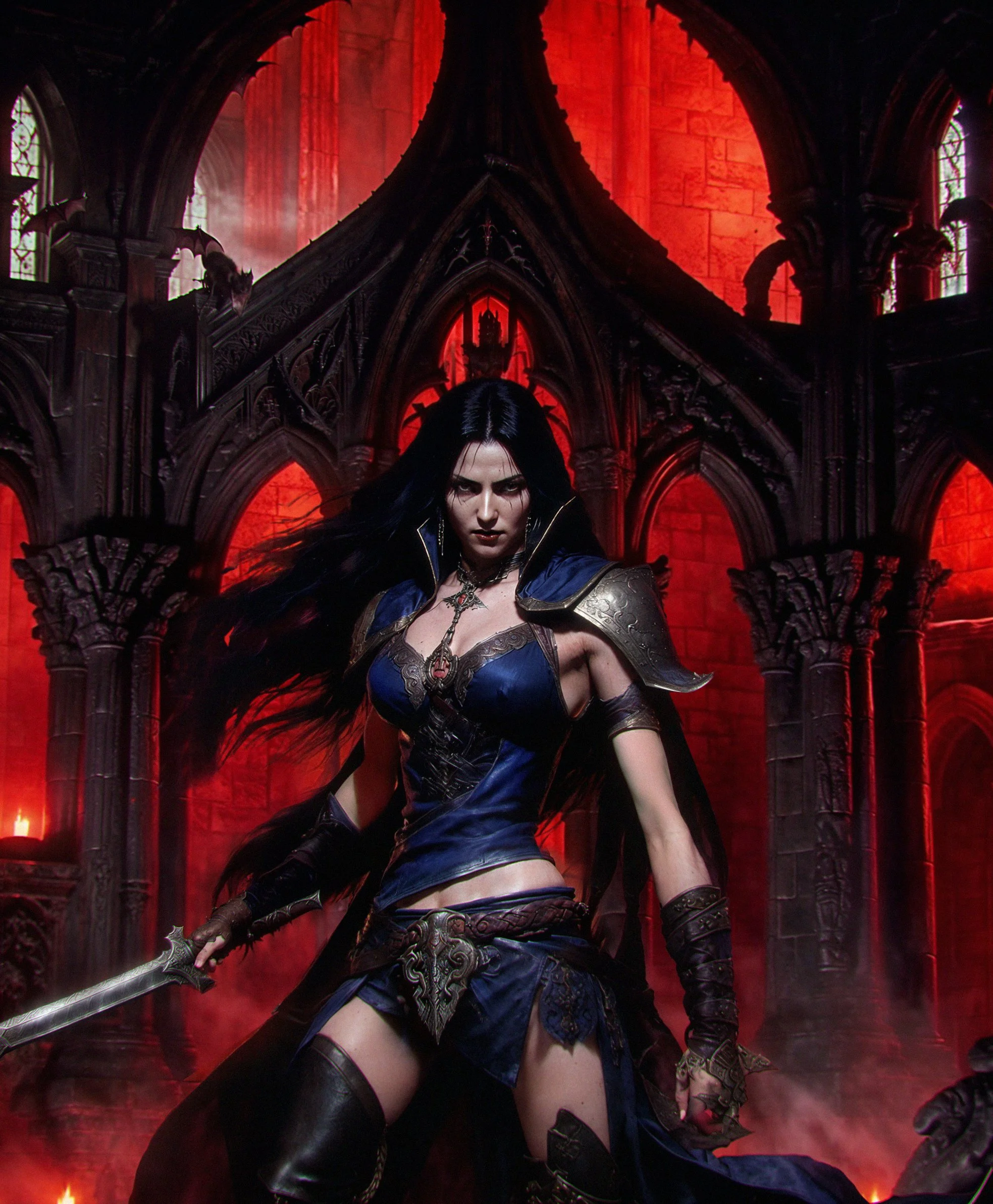
Not bad for 2023!
In closing, I’d say that this technology is a game-changer. For whatever you are trying to accomplish, always remember that you can drive it. Much like a director, you have the final say and control of what passes, and what gets left on the cutting-room floor.! Thanks for getting this far, and bookmark this space for more workflows, tutorials and much more!
Thanks again - ☬ŘØβØ༒ƤŞ¥ĆĦØ☬